Switching from Ripley
Bring every Ripley month. Keep every hour.
One click reads all your months from Ripley in your own browser, checks each against the totals Ripley shows, and imports your sessions, supervisors and descriptions into Fieldwise. About two minutes. No password.
Free. Your Ripley account isn’t changed.
How it works
Four steps, most of them a single click.
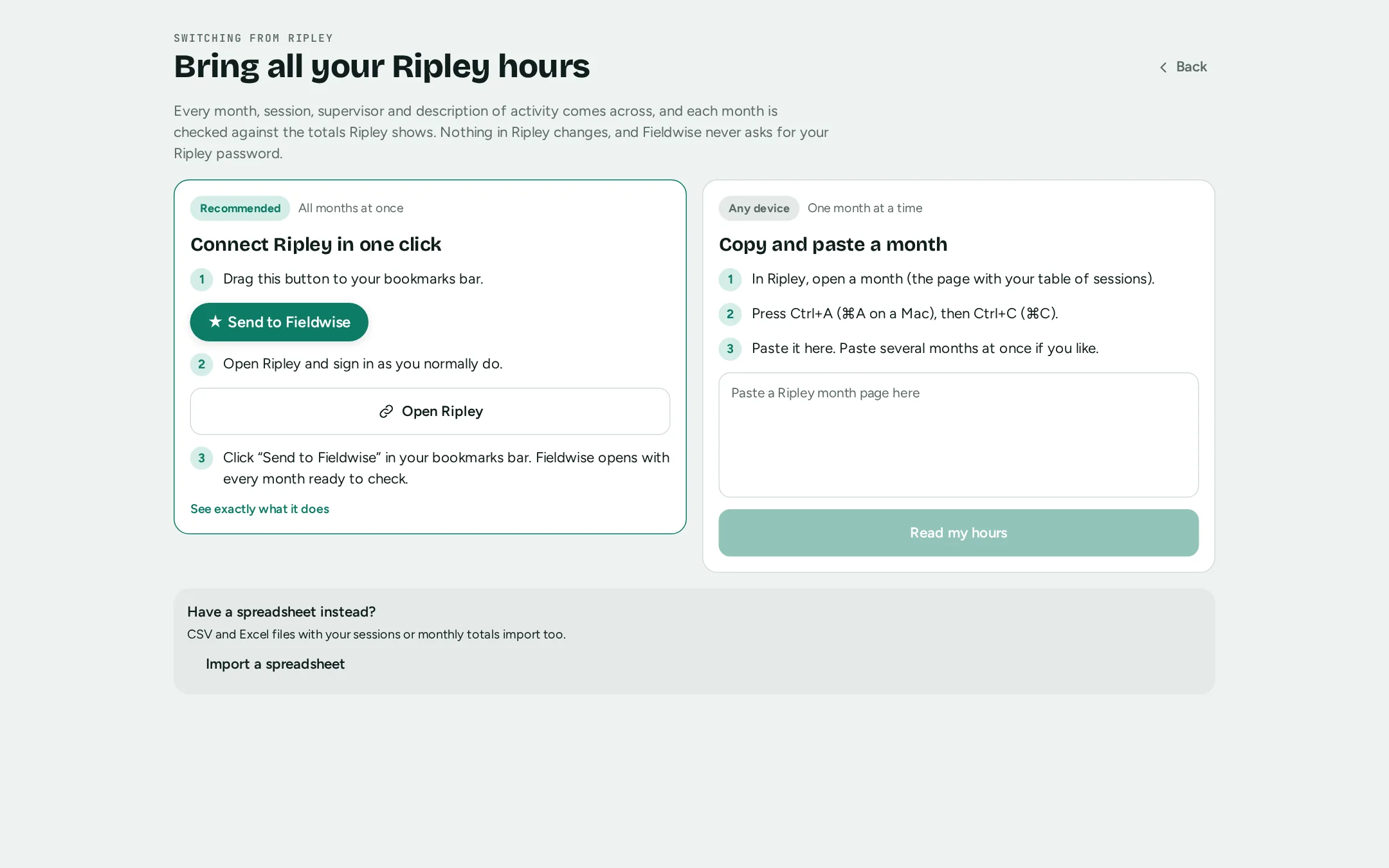
- Start free and open Import from Ripley
Sign in to Fieldwise with Google, Apple or an email link, choose Supervisee, and tap Import from Ripley.
- Drag “Send to Fieldwise” to your bookmarks bar
It’s a bookmark that runs only in your own Ripley tab. You can read exactly what it does before you use it.
- Open Ripley, sign in, click the bookmark
It finds every month on your Ripley dashboard, reads each one, and opens Fieldwise with all of them.
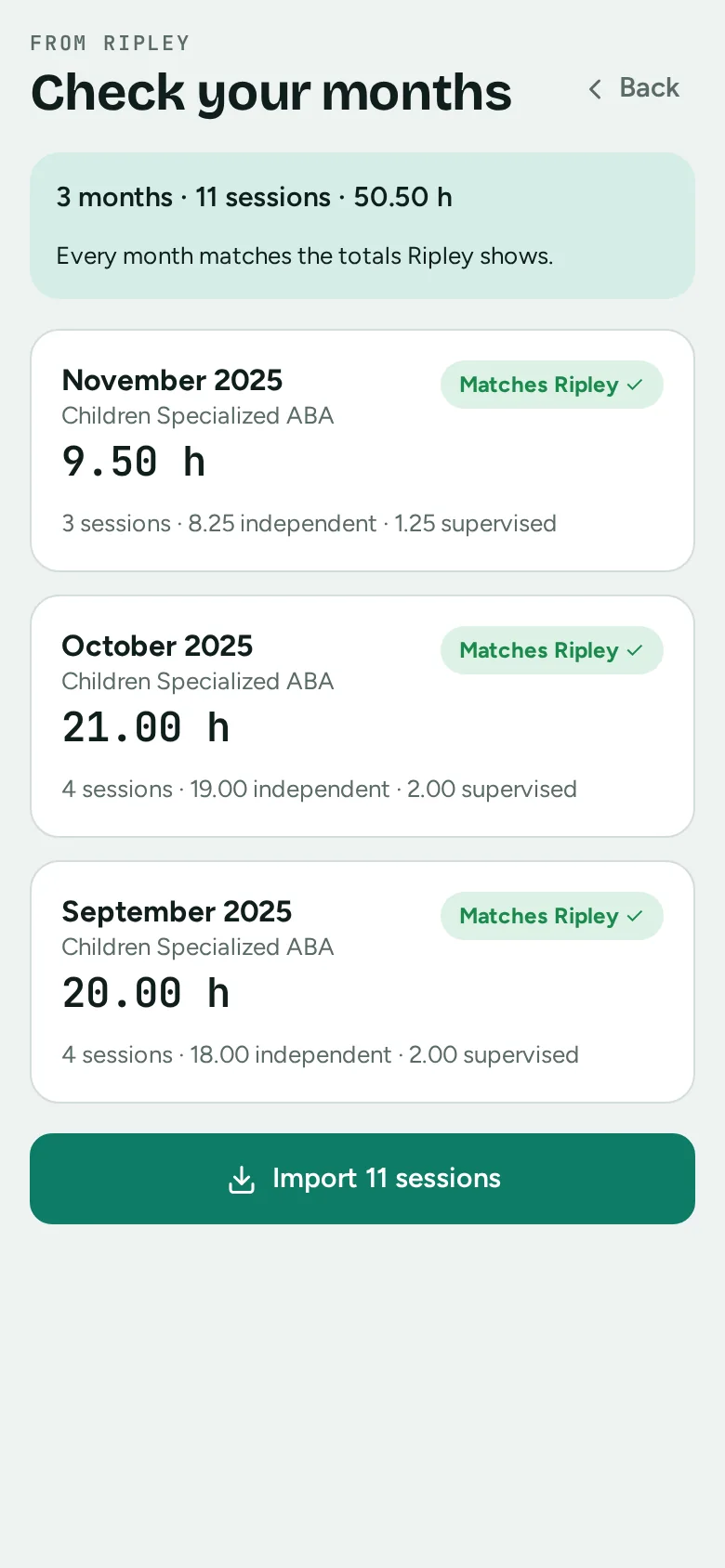
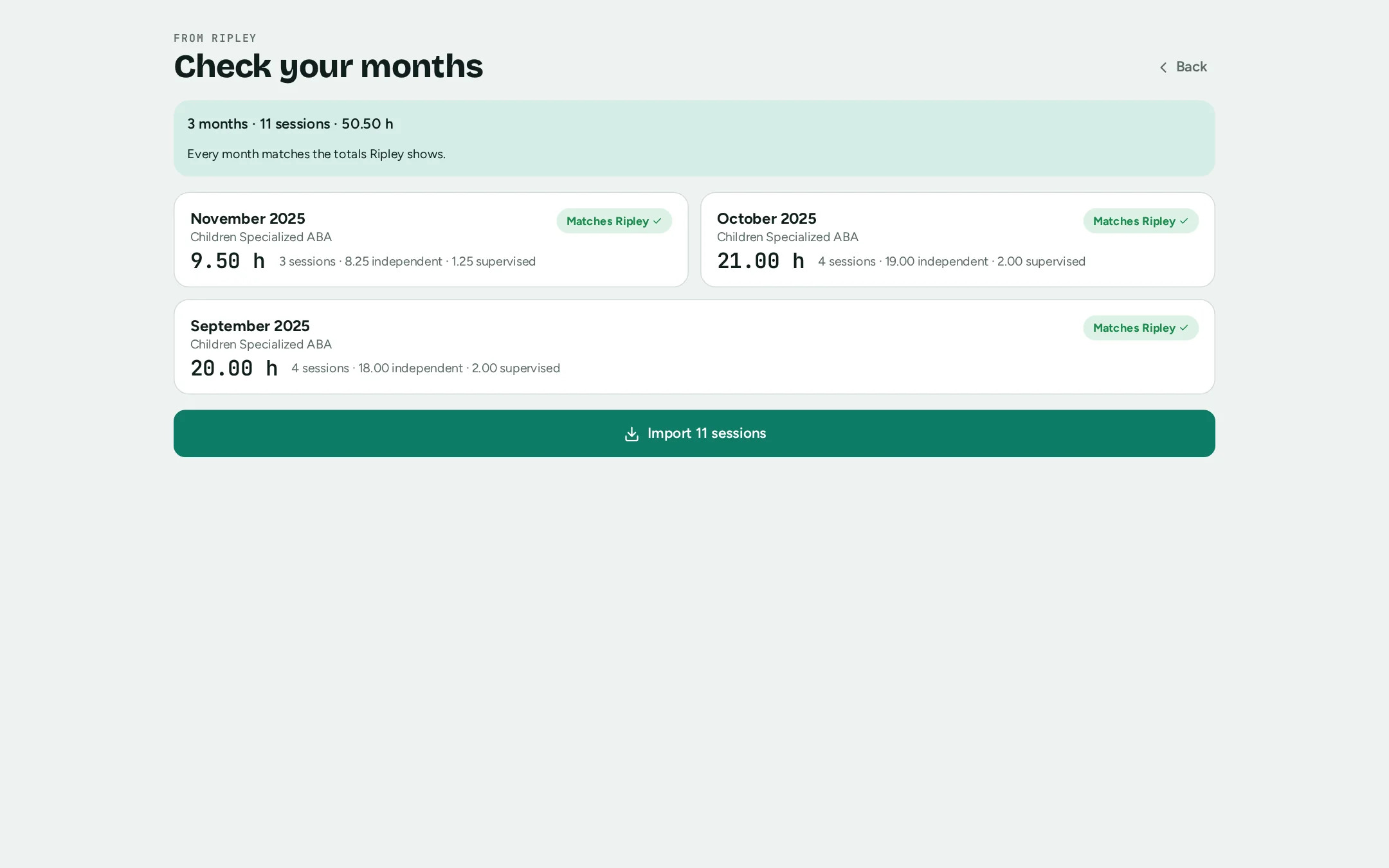
- Check each month, then import
Every month shows whether it matches the totals Ripley shows. Import, and your months, requirements and forms are ready.
After you import
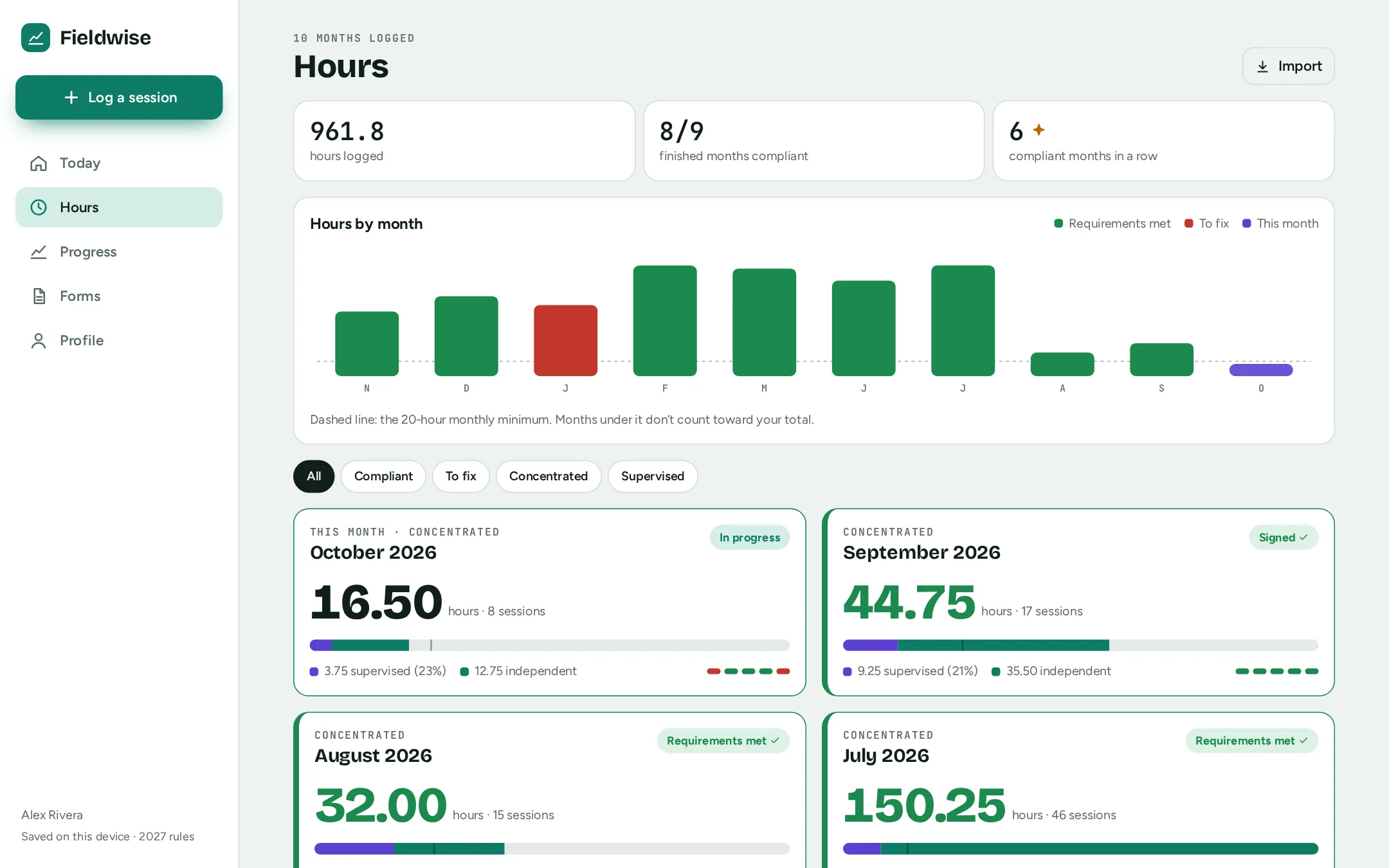
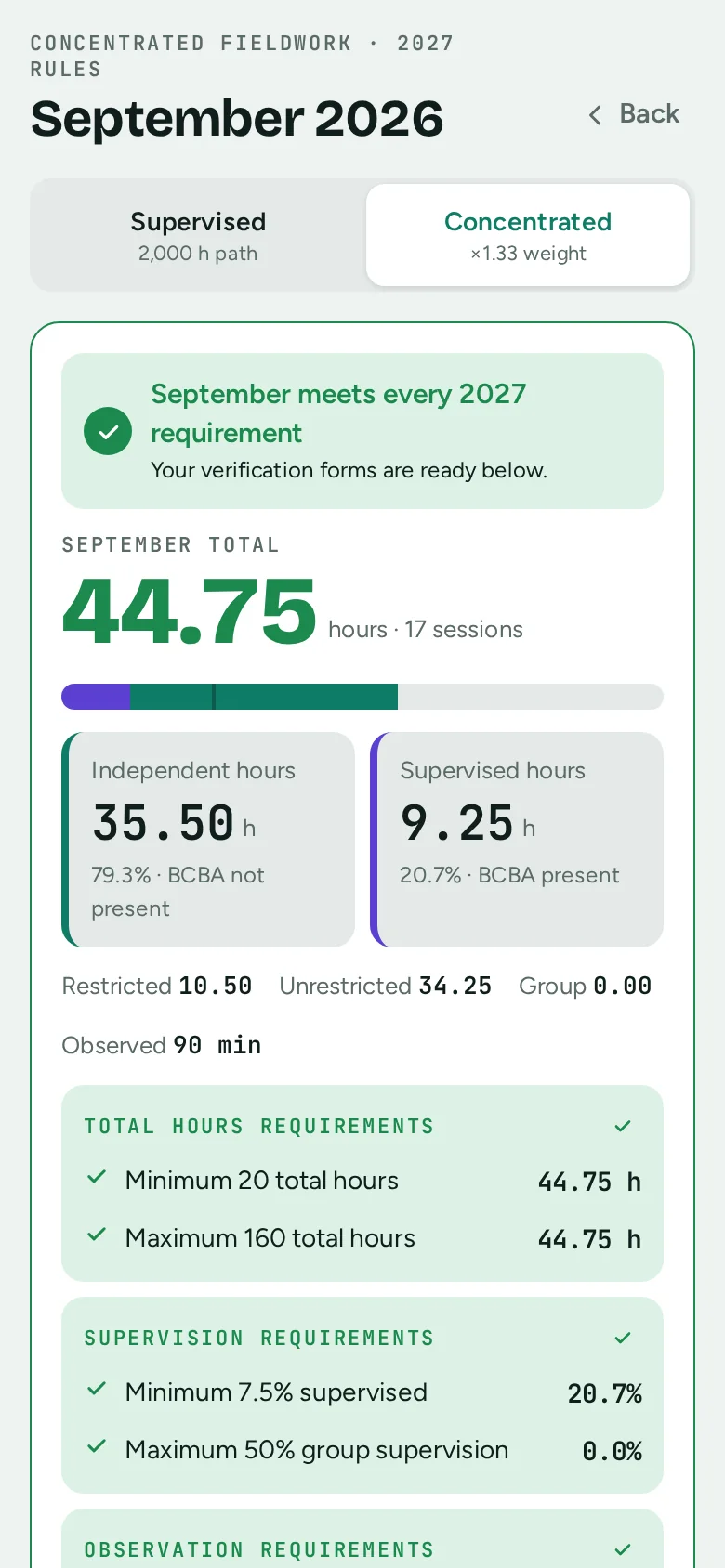
Each month, checked and ready to sign.
Your Ripley months land in Fieldwise with the BACB requirements checked for each: total hours, supervision and observation. The official monthly verification form for each month is filled and ready to view, download, or send to your supervisor.
- Hours, supervisors, organizations and descriptions carried over
- Months that meet every requirement turn green
- Keep logging from today by voice, by form, or in two taps
What changes when you switch
Same requirements. Official forms included free.
Both apps check your months against the BACB requirements. Here is where they differ, from each company’s public pages in October 2026.
| Fieldwise | Ripley | |
|---|---|---|
| Prefilled monthly verification forms | Free to view and download | Future BCBA plan: $11.97 a month or $119.70 a year |
| E-signature by your supervisor | Pro, $3 a month: email link and one-time code, no account | Not listed on Ripley’s pricing page |
| Active supervisors | Unlimited on every plan, including Free | Limited on Free, RBT and Future BCBA; unlimited on Exam Ready ($19.97 a month) |
| Multiple supervisors at one organization | Picks the Multiple Supervisors form and the responsible supervisor automatically | Prefills the applicable form on paid plans |
| Ways to log in Fieldwise | Say it, type a sentence, or use the form; iPhone, Android and web with offline sync | — |
Ripley details from ripleyfieldworktracker.com/pricing and its form guide, October 2026; they may change. Ripley is a trademark of its owner. Fieldwise is not affiliated with Ripley or the BACB.
Questions
Before you switch
Does Fieldwise need my Ripley password?
No. The bookmark runs in your own browser tab, using the Ripley session you’re already signed in with, and sends the months only to the Fieldwise window it opens. Fieldwise never sees or stores your Ripley password.
Does importing change anything in Ripley?
No. It only reads your month pages. Your Ripley account stays exactly as it is.
What comes across?
Every month and session: date, start and end time, independent or supervised, restricted, unrestricted or group, observation minutes, supervision format and your description of activity. Also your supervisors (name, email, BACB ID and qualification), the organization (setting) and each month’s fieldwork type.
How do I know nothing was missed?
Before you import, Fieldwise compares each month’s total hours with the total Ripley shows on that month’s page and marks it as matching, or tells you which months to check.
I only have my phone.
Open a month in Ripley, select all on the page, copy, and paste it into Fieldwise. Paste several months at once if you like. The bookmark is quicker on a computer because it reads all months in one go.
What if I import the same month twice?
Sessions already in Fieldwise, with the same day, times and type, are skipped.
Are my signed Ripley forms imported?
No. Keep the forms you and your supervisor already signed; the BACB asks you both to keep them for seven years. Fieldwise imports your hours, so every month shows its requirements and its official form going forward.
Two minutes from now
All your Ripley months, in Fieldwise.
Start free, tap Import from Ripley, and click one bookmark.
Import my Ripley hours